
The complete guide
Website Personalization
What it is, why it works, and where to start.
Learn
Use Cases
How teams use ConversionWax
Guides
Step-by-step setup and strategy
Content Personalization Guide
How to personalize your website
Playbook
Proven plays for every industry
Compare
How we stack up against others
Blog
Personalization tips and platform updates
Help Center
Docs, setup guides, and support
Featured playbook
Ecommerce Personalization Playbook
Geo-targeted offers, BFCM windows, device-specific layouts - copy-paste plays that run themselves.
Optimized Images
Auto-resize for any device
Video Support
Personalized video content
Scheduled Updates
Time-based content automation
By role
Ecommerce Operators
Geo-offers, BFCM, device layouts
Growth Marketers
Campaign pages, UTM matching, A/B
Digital Agencies
Multi-site, version control, team access
New in the platform
AI Image Generation
Generate campaign visuals from a prompt. Saves to your asset library.
Learn more →Real-time personalization hub
Real-Time Website Personalization
One embed across every platform. Geo, UTM, viewport, and schedule rules render in milliseconds.
Platforms
WordPress
Plugin · WordPress.org
Shopify
Real-time personalization
Adobe Commerce
Plugin · Magento personalization
Contentful
Headless CMS personalization
Joomla
Real-time personalization
Sanity
Headless CMS personalization
Native plugins
On WordPress.org
ConversionWax for WordPress
Official plugin: shortcode-based banners, A/B testing, and AI image generation. Defer-loaded, Core Web Vitals friendly.
Get the plugin →Help docs
ConversionWax for Adobe Commerce
Plugin for Adobe Commerce and Magento Open Source. Setup guide and configuration steps.
Read the docs →Asset imports
Just released
Canva → ConversionWax
Import banner designs and hero images from Canva directly into your ConversionWax asset library. Skip the export-upload cycle.
See how it works →Anywhere else
One embed code
If your site can accept a script, ConversionWax works on it. WooCommerce, Webflow, BigCommerce, Squarespace, custom builds.
See setup →8 Types of Website Personalization (With Examples)

Most websites serve the same experience to every visitor. Same hero image for someone in Miami and someone in Manchester. Same layout whether they arrived from a Google search or a paid Facebook campaign. Same static banner at 7 AM and 11 PM. For a complete guide to implementation, see our content personalization guide.
That is a missed opportunity. The types of website personalization available right now let you match what visitors see to who they are, where they came from, and what context surrounds their visit. None of this requires rebuilding your site or hiring a development team. The technology is accessible, the results are measurable, and the implementation is simpler than most marketers expect.
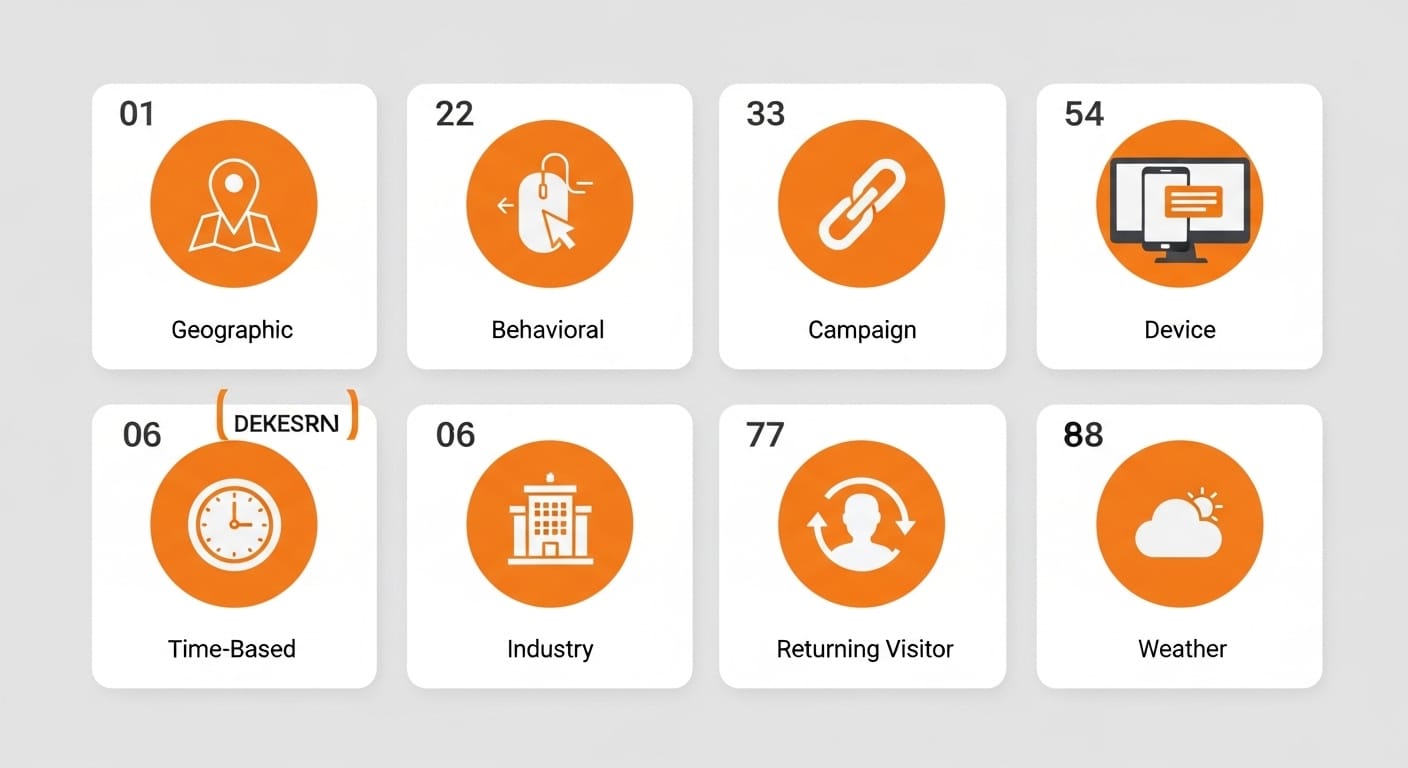
Here are eight types of website personalization worth understanding, with real examples and practical ways to put each one to work.
1. Geographic and location-based personalization
Location-based personalization changes what visitors see based on where they are physically located when they load your page.
This goes well beyond translating text into different languages. A national outdoor retailer can show snow gear hero imagery to visitors browsing from Colorado in January while visitors from Southern California see trail running visuals. A real estate platform can feature neighborhood-specific photography based on the visitor's city. An ecommerce brand selling internationally can display region-appropriate lifestyle imagery that reflects local culture, climate, and preferences.
The use cases scale across industries. A hotel chain can show beachfront property photos to visitors in landlocked states and mountain lodge imagery to coastal visitors looking for something different. A food delivery app can feature regional cuisine in its hero imagery, showing deep-dish pizza in Chicago and seafood in Boston. Even B2B companies benefit: a logistics provider can highlight warehouse locations nearest to the visitor's region, making the service feel local rather than remote.
The results tend to be significant because relevance is immediately visual. When someone lands on your site and sees imagery that reflects their world, they stick around longer. Retailers using geo-targeted visuals consistently report 15-30% improvements in engagement metrics. The psychological mechanism is simple: people trust what feels familiar, and location-specific visuals create that familiarity within the first second of a page load.
How to implement with ConversionWax: Set up location display rules targeting by country, region, or city. Upload image variants for each geography and let the platform swap them automatically based on visitor IP. No code changes required on your end.
2. Behavioral personalization
Behavioral personalization adapts your site based on what a visitor has already done during their session, including pages viewed, time spent, and actions taken.
Consider an ecommerce site where a first-time visitor sees a broad lifestyle hero image showcasing the brand story. That same visitor, after browsing the running shoe category for five minutes, returns to the homepage and now sees running-specific imagery. A SaaS product site can show a general platform overview to new visitors, then swap to feature-specific visuals once someone has visited the pricing page or a particular product tour.
This works because it mirrors how a good salesperson operates. You would not pitch someone the same way in their third conversation as you did in their first. Behavioral personalization lets your website do the same thing at scale, adapting its visual presentation as it learns what each visitor cares about.
The compounding effect matters here. Each page a visitor views gives you more signal about what they want. A visitor who has looked at three different pricing pages is probably comparison shopping and should see imagery emphasizing value and ROI. A visitor who has read two case studies is building a business case internally and should see social proof visuals and customer logos. The more behavioral data you collect within a session, the more precisely you can tailor the visual experience.
How to implement with ConversionWax: Use session-based content sections to define which visuals appear based on visit history and on-site behavior. The platform tracks visitor sessions and applies the right variant automatically.
3. Campaign and source-based personalization
Source-based personalization matches your landing page experience to wherever the visitor came from, whether that is a paid ad, an email campaign, an affiliate link, or an organic search result.
This solves one of the most common conversion killers in digital marketing: the disconnect between ad creative and landing page. If your Facebook ad features a specific product image and a particular value proposition, the landing page should visually reinforce that same message. When a visitor clicks an ad showing a red dress and lands on a page with a generic hero banner, you have introduced friction at the worst possible moment.
A travel company running parallel campaigns for beach vacations and mountain retreats can serve matching hero imagery based on which ad the visitor clicked. A B2B software company can show different product screenshots depending on whether traffic came from a LinkedIn campaign targeting enterprise buyers or a Google Ads campaign targeting small businesses. The ad-to-page visual continuity alone can improve conversion rates by 20-40%.
This approach also applies to email campaigns. If your email features a specific product collection, the landing page should show that same collection front and center. Affiliate partners driving traffic to your site should see co-branded or partner-specific imagery that maintains the visual thread from wherever the click originated. Every handoff between channels is a potential drop-off point, and source-based personalization smooths each one.
How to implement with ConversionWax: Set up URL variable display rules that read UTM parameters from your campaign URLs. Define which image variants map to which UTM values, and the platform handles the swap on page load.
4. Viewport-based personalization
Viewport personalization serves different visual content based on the visitor's screen size, going beyond basic responsive design to deliver entirely different creative per breakpoint.
Standard responsive design simply scales the same image up or down. That is not enough. A landscape product photo that looks great on a 27-inch desktop monitor becomes a tiny, hard-to-read rectangle on a phone screen. Viewport personalization lets you serve a vertical product photo on mobile (optimized for thumb-scrolling), a square crop on tablet, and the full landscape shot on desktop.
An ecommerce brand can show detailed multi-product hero compositions on desktop where visitors have the screen real estate to absorb complexity, while serving a single focused product shot on mobile where simplicity wins. A SaaS company can display a full dashboard screenshot on desktop and a focused view of one key feature on mobile. This is not about making the same image fit. It is about choosing the right image for the context.
The performance difference between a scaled-down desktop image and a purpose-built mobile image is significant. Mobile visitors scroll faster, have less patience for visual clutter, and respond better to vertically oriented imagery that fills their screen. Pages using viewport-specific visuals rather than generic responsive images typically see 15-25% higher engagement on mobile, simply because the imagery was designed for how people actually use that screen size.
How to implement with ConversionWax: Create responsive banner variants with separate asset slots for desktop, tablet, and mobile. Set custom breakpoints beyond default device sizes to fine-tune exactly when each variant appears. The platform serves the right visual based on the visitor's viewport width.
5. Time-based personalization
Time-based personalization changes your website's visual content based on time of day, day of the week, or specific date ranges.
A restaurant chain's website can show breakfast imagery in the morning, lunch plates at midday, and dinner entrees in the evening. This sounds simple, but most restaurant websites show the same generic food photography 24 hours a day. A retail brand can swap hero banners for a flash sale that starts at noon and ends at midnight, without anyone manually updating the site. An event venue can count down to an upcoming show with progressively more urgent imagery as the date approaches.
Time-based personalization also handles timezone differences. If you are running a Black Friday campaign, you probably want visitors on the East Coast to see sale imagery three hours before visitors on the West Coast, matching their local midnight. Without timezone-aware scheduling, you are either starting too early for some visitors or too late for others.
Day-of-week personalization is another underused variant. A B2B software company might show productivity-focused imagery on weekday mornings when visitors are in work mode, then shift to lighter, culture-focused visuals on weekends when casual browsers are doing research. A fitness brand can promote gym gear on Monday (when motivation peaks) and recovery products on Friday. Matching your visual presentation to the rhythm of your audience's week creates a subtle but persistent sense of relevance.
How to implement with ConversionWax: Use display scheduling with start and end dates, times, and timezone support. Set up multiple time-based variants for the same content section, and the platform rotates them automatically based on the visitor's local time.
6. Industry and segment personalization
Segment-based personalization shows different visual messaging to different audience segments, typically based on referral context, URL parameters, or known attributes.
This matters most for B2B companies serving multiple verticals. A platform that works for both ecommerce and travel companies should not show the same generic hero to both audiences. When a visitor arrives from a page about ecommerce solutions, the homepage hero can swap to show shopping-related imagery and ecommerce-specific social proof. When traffic comes from a travel industry page, the hero shifts to show travel booking interfaces and hospitality use cases.
The principle applies beyond B2B. A financial services company can show different imagery to individual investors versus business banking prospects. A university can show campus life photography to prospective undergraduates and research facility imagery to graduate applicants. Every organization with multiple audience segments benefits from showing each group that the product or service was built with them in mind.
The mistake most companies make is defaulting to their broadest audience. They pick the hero image that offends nobody and resonates with nobody in particular. Segment personalization flips that. Instead of one lukewarm visual, you serve five strong ones, each targeted at a specific group. The total effort is only marginally higher than creating one generic version, but the conversion impact across segments is dramatically better.
How to implement: Combine URL variable rules with campaign tagging to identify which segment a visitor belongs to, then map each segment to specific visual variants. For companies using ConversionWax, this means setting up UTM-based rules where each industry vertical gets its own parameter value and corresponding image set.
7. New vs. returning visitor personalization
This type of personalization differentiates the experience based on whether someone has visited your site before or is seeing it for the first time.
The logic is straightforward. A new visitor needs orientation: what does this company do, who is it for, and why should I care? A returning visitor already knows the basics and is further along in their decision process. Showing them the same introductory hero and "Learn More" CTA wastes their time and yours.
An ecommerce site can show new visitors a broad brand story hero with a welcome offer, while returning visitors see visuals related to categories they previously browsed. A SaaS product can greet new visitors with a high-level product overview image, then show returning visitors a screenshot of the specific feature they spent the most time exploring. A media company can surface trending content imagery for new visitors and "Continue Reading" or "Based on Your History" visuals for returning ones.
Businesses that differentiate between new and returning visitors typically see higher engagement from both groups, because each gets the visual experience that matches their stage in the relationship.
The key insight is that familiarity changes expectations. A first-time visitor tolerates (and even needs) a broad overview. A returning visitor finds that same overview redundant and may bounce because they feel the site has nothing new to offer. Swapping visuals between visits signals that your site is dynamic, responsive, and worth coming back to. Even small changes, like showing a different product featured in the hero, can re-engage a visitor who might otherwise have assumed they had already seen everything.
How to implement: Session-based display rules can distinguish first-time visits from repeat sessions. Pair this with behavioral data to progressively refine which visuals returning visitors see on subsequent visits.
8. Weather-based personalization
Weather-based personalization triggers visual content swaps based on real-time weather conditions at the visitor's location.
An outdoor apparel retailer can show rain jacket hero imagery to visitors currently experiencing rain, while visitors in sunny locations see hiking and trail gear. A food delivery service can feature warm comfort food photography when temperatures drop below 40 degrees and fresh salad imagery during heat waves. A home improvement retailer can promote snow blowers during a blizzard and lawn care equipment during mild spring weather.
Weather-based personalization is effective because it taps into immediate, felt context. When it is actively raining outside your window and a website shows you a waterproof jacket, the relevance is visceral. You are not being shown something you might need someday. You are being shown something you need right now. That immediacy drives action.
The approach also works for travel and hospitality. A tropical resort can target visitors in cold, rainy climates with escape-themed imagery. The contrast between the visitor's current reality and the aspirational destination creates a powerful emotional pull that generic beach photography cannot match.
Weather personalization is also valuable for seasonal inventory management. A retailer sitting on excess winter inventory can push those products harder to visitors in regions where winter weather has arrived late or lingered. Conversely, early warm spells in certain regions create an opportunity to show spring and summer products before competitors make the seasonal switch. Timing your visual merchandising to actual weather patterns rather than calendar dates gives you a real edge.
How to implement with ConversionWax: Combine location-based display rules with weather condition triggers to swap visuals based on current conditions at the visitor's location. Upload variants for different weather scenarios and let the platform match them to real-time data.
How to choose the right types of website personalization
You do not need to implement all eight types at once. Start with the one or two that align most closely with your biggest conversion bottleneck.
If your traffic comes primarily from paid campaigns and your ad-to-page conversion rate is low, start with campaign/source-based personalization. If you serve multiple geographic markets and your bounce rate varies significantly by region, start with location-based personalization. If your mobile conversion rate lags far behind desktop, viewport personalization is the place to begin.
Once your first personalization type is running and you have baseline data, layering becomes straightforward. Location plus time-based personalization is a natural combination for retailers. Campaign-based plus viewport personalization works well for companies running mobile-heavy ad campaigns. The types are not mutually exclusive, and combining two or three on the same page can compound the conversion lift.
A practical starting framework: audit your analytics for the page with the highest traffic and the lowest conversion rate. That page is your testing ground. Identify which visitor context variable (location, source, screen size, time) would most change the experience if personalized. Implement that single variable, run it for two to four weeks, and let the data tell you whether to expand or adjust. Companies that take this incremental approach consistently see 8-35% conversion rate improvements from their first personalization initiative.
Combining types of website personalization for maximum impact
The real power of personalization shows up when you layer multiple types together. A visitor arriving from a Facebook ad (source-based), browsing on a phone (viewport-based), located in Seattle (location-based) during a rainstorm (weather-based) should see a completely different visual experience than a returning visitor on a desktop in Phoenix who found you through Google.
This does not have to be complicated. Start with your primary personalization type, get it working, and then add a second layer. Each additional context signal you incorporate makes the experience feel more tailored, which directly correlates with conversion performance. The companies seeing the largest gains from personalization are not using one type in isolation. They are stacking two or three types on their highest-value pages and letting the platform resolve which variant to serve based on all available signals.
Getting started
The barrier to implementing website personalization has dropped dramatically. You do not need a data science team, a six-month implementation timeline, or a seven-figure budget. Tools like ConversionWax let you set up visual personalization rules, upload your image variants, and start serving personalized experiences within a day.
If you want to see what personalization looks like on your own site, start a free trial and test one of these eight approaches on your highest-traffic page. The data will tell you where to go next.
Frequently Asked Questions
What are the main types of website personalization?
The eight main types are geographic/location-based, behavioral, campaign/source-based, viewport-based, time-based, industry/segment, new vs. returning visitor, and weather-based personalization. Each targets a different dimension of visitor context to deliver more relevant visual experiences.
Which type of personalization should I start with?
Start with the type that addresses your biggest conversion gap. If paid campaign traffic converts poorly, begin with source-based personalization. If bounce rates vary by region, start with location-based personalization. Pick one type, test it on your highest-traffic page, and measure results over two to four weeks.
Do I need developers to implement website personalization?
No. Modern personalization platforms like ConversionWax let you set up display rules and upload image variants through a visual interface. You add a single script to your site and configure everything through the dashboard without writing code.
What kind of results can I expect from website personalization?
Companies implementing visual personalization typically see 8-35% conversion rate improvements, 20-40% engagement increases, and 30-50% click-through rate improvements. Most see measurable results within two to four weeks of launching their first personalization campaign.
Ecommerce-specific personalization
For ecommerce stores, the picture is slightly different. See what is ecommerce personalization for the 6 types that matter for stores.